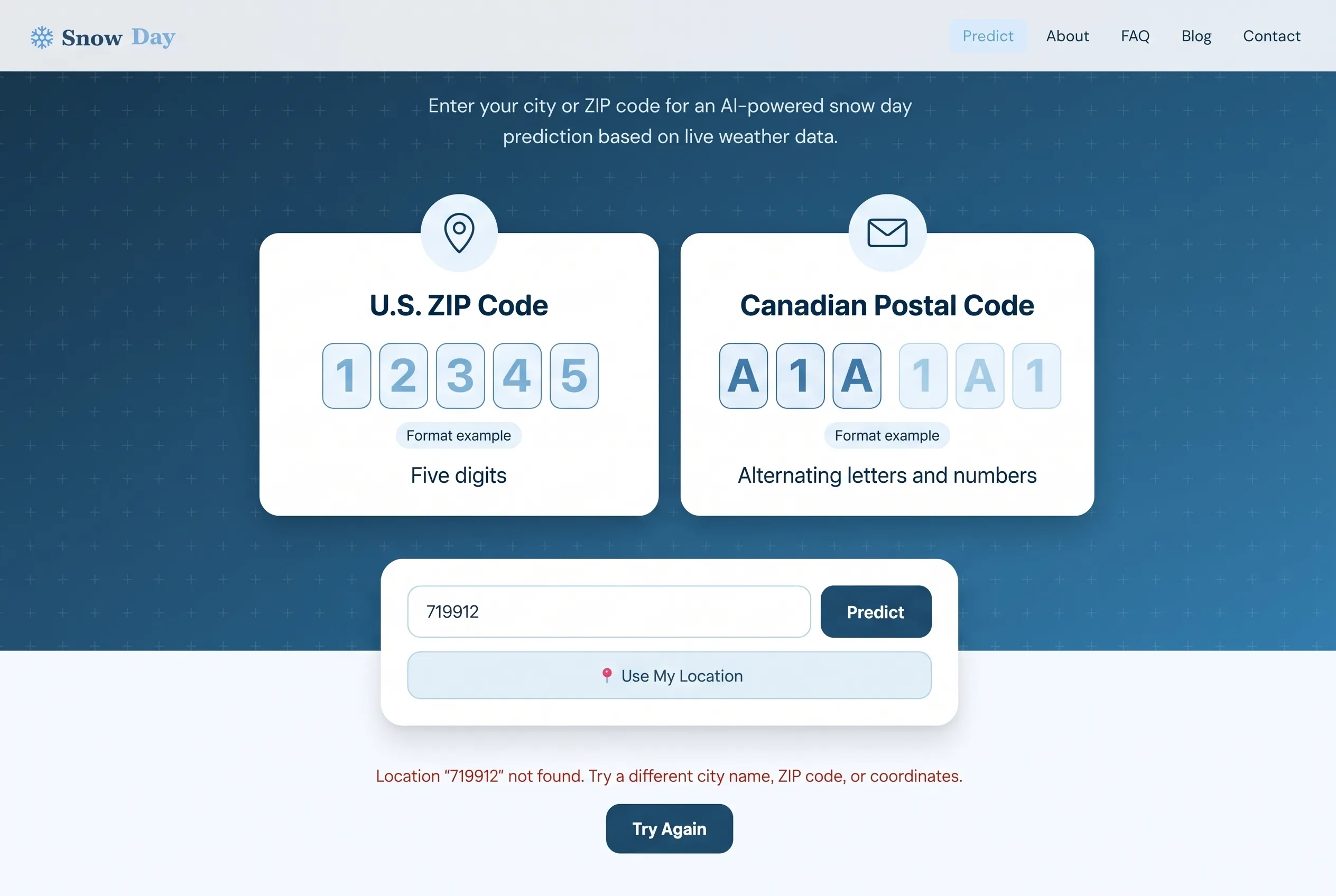
If the snow day calculator says your ZIP or postal code is not found, check the code, then search for your city and select the correct state, province, and country. A valid mailing code can be missing from the location database. If the error mentions the weather service, retrying the forecast is more useful than changing a correct code.
Go to the step-by-step fixYou enter your code, press Predict, and get an error instead of a snow-day estimate. That message does not automatically mean your code is invalid. The calculator first needs to find a location, then retrieve its weather. A problem at either step can stop the result.
This guide explains how to recover the correct location on Snow Day Calculation, what the different errors mean, and when to report a problem.
How to fix “ZIP code not found” in the snow day calculator
Try these steps in order. Once the intended location appears, check its label before using the estimate.
- Retype your code carefully. Keep any leading zero, check letters against numbers, and remove extra street-address or school-name text. For a U.S. ZIP Code, start with its five-digit version.
- Search for your city instead. Type the city, wait for suggestions, and select the entry with the correct state or province and country. Selecting a suggestion starts a prediction. If no suggestion appears, enter the full city name and press Predict to see the main search’s result or error.
- Confirm the returned place. A familiar city name is not enough: several countries can have a city with that name. If needed, try a city with its region, such as
Boston, Massachusetts, and check the selected location again. - Try “Use My Location” if you are in the right area. This asks your browser for your current position and can bypass a failed text lookup. If you are checking a school in another town, search that town manually instead.
- Handle a service error separately. If the message names the geocoding or weather service, check your connection and retry later. Repeatedly changing a verified code will not repair an unavailable service.
There is no separate country selector in the current search box. Use the region and country shown in the suggestions to choose the place you mean. Do not substitute a random nearby ZIP code just to get a result.
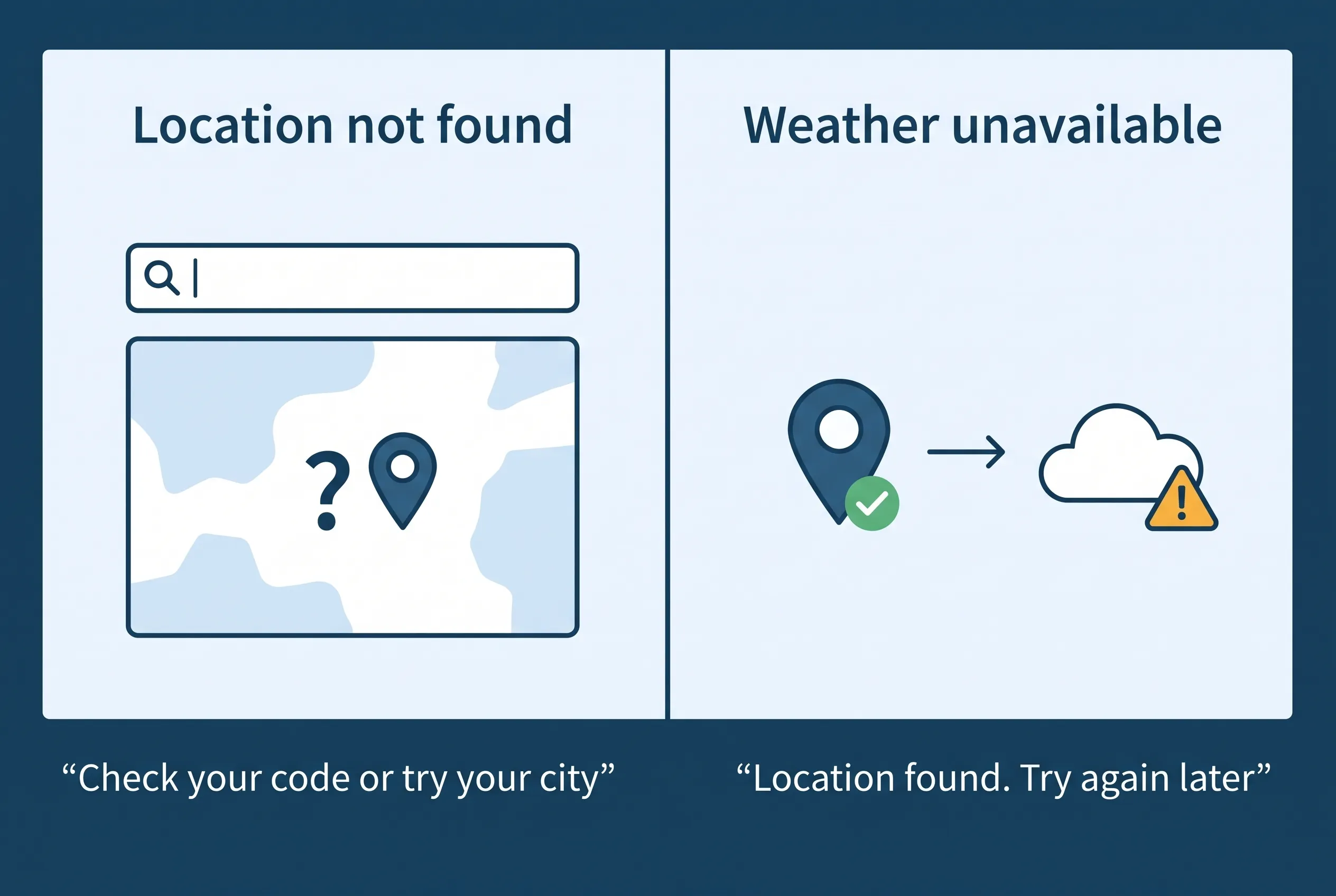
Location not found vs. weather unavailable: what is the difference?
A location error means the calculator could not match the text you entered. A weather error means it already had coordinates but could not complete the forecast request. The result card may not appear until both steps finish, so a weather error can occur before you see a location card.
Use the message or message prefix below to choose your next step.
On a small screen, scroll the table sideways to read every column.
| Message or symptom | What it means | What to do |
|---|---|---|
| “Please enter a location.” | The input is empty after cleanup. | Enter a city, ZIP code, or postal code. |
| “Location … not found.” | The location search returned no match. | Check the code, then select a city suggestion. |
| “Geocoding service returned an error” | The location service returned an unsuccessful response. | Save the error number and retry later. |
| “Unable to reach the geocoding service” | The request could not reach the location service. | Check your connection. Keep a verified code unchanged. |
| “Weather service returned an error” or “Weather data was incomplete.” | Forecast retrieval failed after coordinates were available. | Retry later. Reformatting your code does not fix missing weather data. |
| “Location access was denied.” | Your browser did not allow device-location access. | Enter a city manually, or change the site’s location permission if you want to use it. |
Why a valid postal code can still be “not found”
A postal authority assigns codes for mail delivery. A location-search service, also called a geocoder, matches search text to geographic coordinates. The two services use different datasets. A code can therefore be correct for your address and still have no match in a weather calculator’s location database.
Snow Day Calculation uses Open-Meteo for text-based location searches. Its geocoding documentation describes searches by place name or postal code, with location data based on GeoNames. That does not guarantee a match for every mailing code.
Checked example: a valid Ottawa postal code with no match
The Canadian House of Commons contact page lists K1A 0A6 in its Ottawa mailing address. On , direct location-service checks returned no matches for either K1A 0A6 or K1A0A6. A search for Ottawa returned Ottawa, Ontario, Canada among the results.
For this example, removing the space did not help; searching by city did. It does not mean all Canadian postal codes fail.
Method: successful requests to Open-Meteo’s search endpoint, asking for up to five English-language results, matching the calculator’s suggestion settings. These checks tested location lookup only. Provider results can change.
Check the format for your country
United States: use all five ZIP Code digits
A basic U.S. ZIP Code contains five digits; ZIP+4 adds a four-digit extension. Keep a leading zero: 02108 is not the same input as 2108. If you are unsure of your code, check it with the official USPS ZIP Code lookup.
The current calculator does not convert ZIP+4 to five digits automatically. If an extended code fails, try its first five digits. This corrects the input format; it does not guarantee that the location service has the code.
Canada: keep the alternating letter-and-number pattern
A Canadian postal code has six characters, normally written as two groups: A1A 1A1. That is a format example, not a code to copy. Check both groups and distinguish letters from digits. Canada Post explains the format and provides a Find a Postal Code tool.
Start with your actual code in its standard form. Removing a space is not a reliable fix for a missing database entry, as the Ottawa example shows. If the verified code fails, choose your city and province instead.
United Kingdom: keep your postcode intact
Enter the postcode from your address record without adding a street address or school name. Do not shorten it to imitate a U.S. ZIP Code. If it fails, search for the town or city and select the correct U.K. result.
In the October 3 checks, SW1A 1AA returned no match, while London returned London, England alongside places in Canada and the United States. This is one checked example, not a finding that every U.K. postcode fails.
Make sure the city result is the place you intended
Selecting a suggestion gives the calculator that specific place’s coordinates. Typing text and pressing Predict without choosing a suggestion uses the first returned match. When a name is shared by several places, selecting the correct regional suggestion is the safer way to identify your intended location.
The October 3 checks illustrate why: 02108 returned both Boston, Massachusetts and Saint-Quentin, France in the suggestion results. Ottawa returned places in Ontario and several U.S. states. Correct spelling alone does not remove geographic ambiguity.
Check the state, province, and country every time you change your search. A city result gives you an area forecast; it does not identify a school district or the conditions on every bus route. If the school is in another town, search that town deliberately.
When should you use “Use My Location”?
Use it when you are physically in the area you want to check and text search is failing. With your permission, the browser supplies coordinates so the calculator can request weather without matching a postal code first.
It still needs a working weather service. It also uses your present position, not a saved school address. If you are travelling or checking a school in a different town, use city search instead. Confirm the area shown, because a browser may return an approximate position.
You can decline location permission and continue with a manual search. A denied permission does not mean your postal code is invalid.
What if the correct location still does not work?
Compare the error from a verified code with the error from a city search. If city search works, use that result after checking the region. If both show a weather-service error, the forecast request needs attention rather than the spelling of your code.
Reload the page once, check that your internet connection works, and retry later. Avoid repeatedly pressing Predict while it is loading. Clearing all browser data is not the first fix for a missing location match: it cannot add your code to the provider’s database.
What if the same code worked yesterday?
Keep the exact input and compare today’s message. An empty lookup, a connection failure, and an unavailable forecast are different problems. Note whether only that code fails or every location fails; this is more useful for troubleshooting than changing several settings at once.
If the problem continues, report the lookup error with:
- The city, country, and code you entered.
- The exact message, including any error number.
- The approximate time and timezone, browser, and device type.
- Whether a city suggestion or device location worked.
A cropped screenshot of the input and error can help. You do not need to include your full home address, a child’s name, or school-account credentials.
Frequently asked questions
Why does a valid ZIP code return “location not found”?
The calculator’s location database may not have a matching entry, even if the postal authority recognizes the code. Check your input, then search by city and select the correct state and country.
Why are no city suggestions appearing?
The current interface waits for at least two characters before requesting suggestions. After that, an empty list can mean no matches or a failed request. Enter the complete city name and press Predict to get the main search’s result or error message.
Should I remove the space from my Canadian postal code?
Start with the standard two-group format. Removing the space is not a dependable fix: both versions of the Ottawa code returned no match in the checks above. If your verified code fails, select your city and province.
Can I use a nearby ZIP code instead?
Search for the intended city first. A nearby code may retrieve a different area’s forecast. If your school is elsewhere, choose its location deliberately and confirm the region shown.
Can my location be found but its forecast still fail?
Yes. Finding coordinates and retrieving weather are separate steps. A weather-service error can happen after a successful location lookup, and changing a correct code will not repair that service response.
Does a lookup error mean my school is open?
No. A lookup error says nothing about a school’s decision. Check your school, district, or transportation provider for confirmed closures, delays, and bus cancellations.
Sources and how this guide was checked
The calculator’s public interface code, error handling, and sample location-service responses were reviewed on . The examples establish what those lookups returned on that date; they do not measure postal-code coverage or school-closure accuracy.
- Open-Meteo geocoding documentation — location-search inputs and data attribution.
- USPS: introduction of the ZIP Code — the five-digit system and ZIP+4.
- Canada Post: postal-code guidelines — Canadian code structure.
- House of Commons contact information — the published Ottawa mailing-code example.
- Snow Day Calculation data sources and methodology — context for the calculator’s estimates.
This guide is published by Snow Day Calculation to explain its own calculator. Found an outdated step? Send a correction.
Try your city or postal code again
Select the right place before reading the estimate. Confirm school closures through official school or district notices.
Open the snow day calculator